
From the first conversation.
To the next purchase.
Everything you need to advise customers, close orders and run your shop. Pick a group below to see the details.
Features that connect to outside platforms depend on configuration, granted permissions and deployment status. Illustrations use sample data.
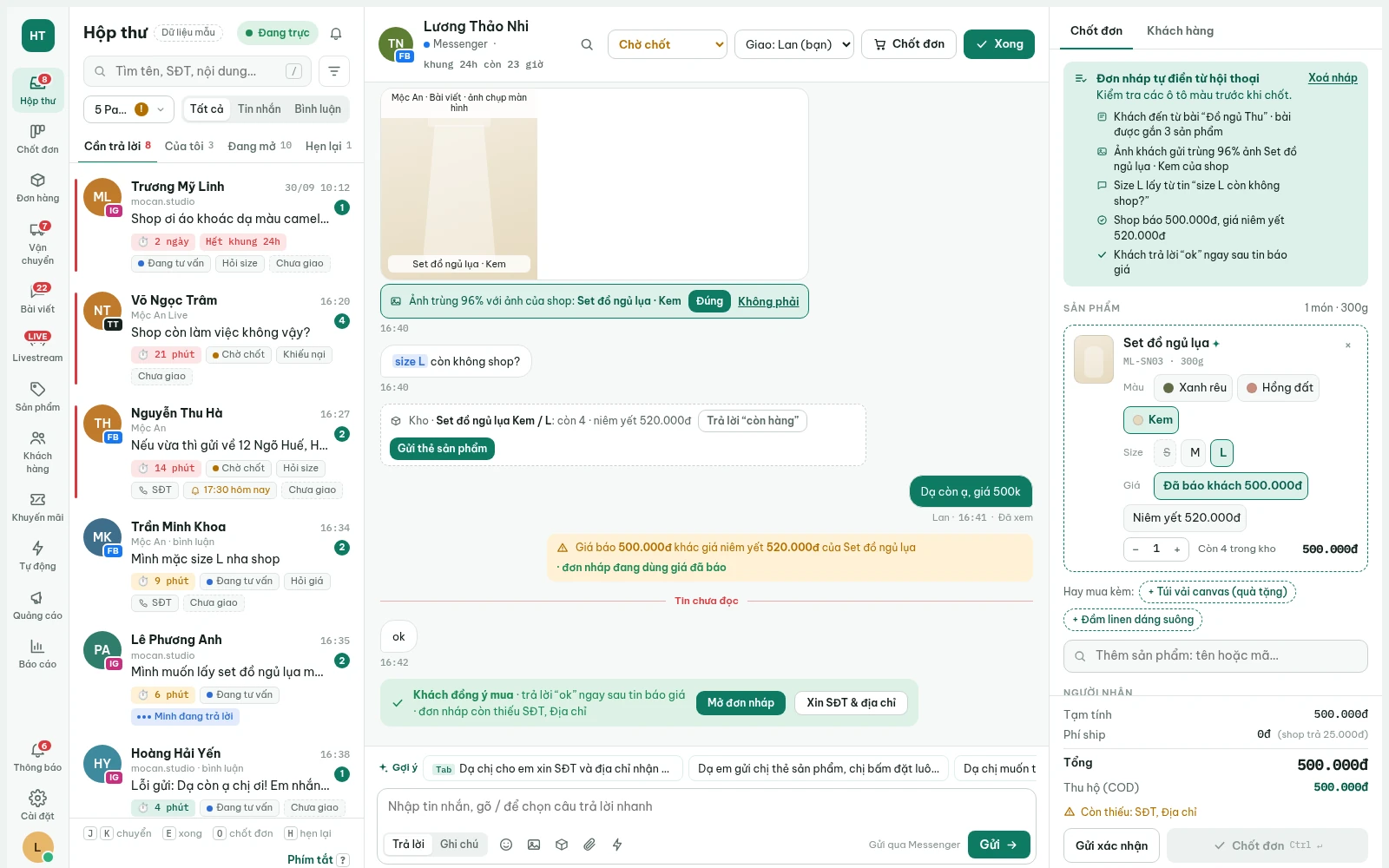
Inbox & selling in chat
Bring conversations into one place and close the order as soon as the advice is done. Customer details, products and draft orders sit right beside the chat.
- Messages and comments from your connected channels
- Assign conversations, add tags, set reminders, use quick replies
- Products customers mention are recognised in chat
- Create orders, save drafts and view the customer profile without leaving the conversation
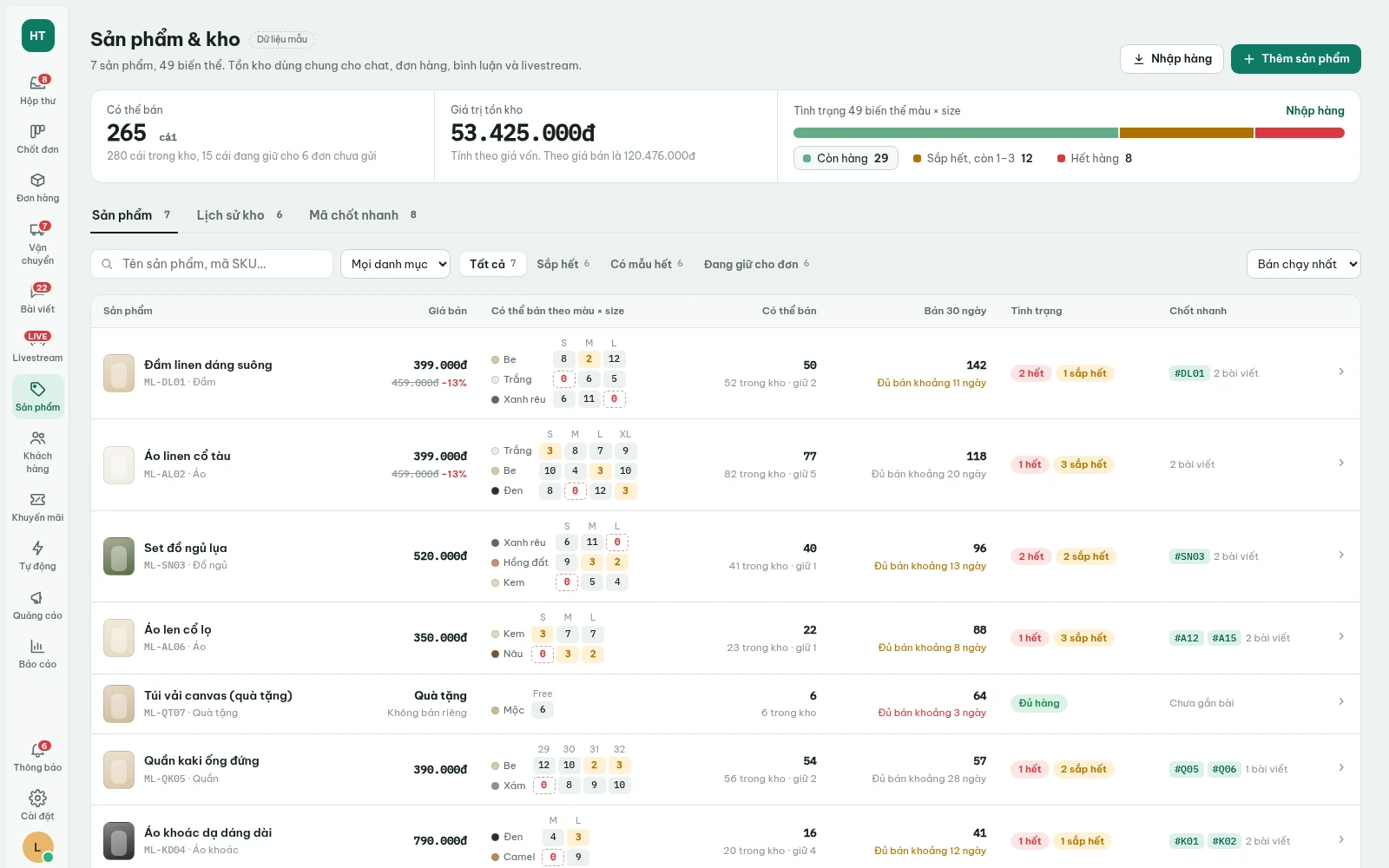
Products & multiple warehouses
Manage every variant and incoming goods, and see what is available, reserved and on its way, with a history of stock changes.
- SKUs, barcodes, variants, images and prices
- Stock receipts, counts, transfers and damaged goods
- Suppliers, purchase orders and balances owed
- Low-stock alerts, sales speed and reorder suggestions
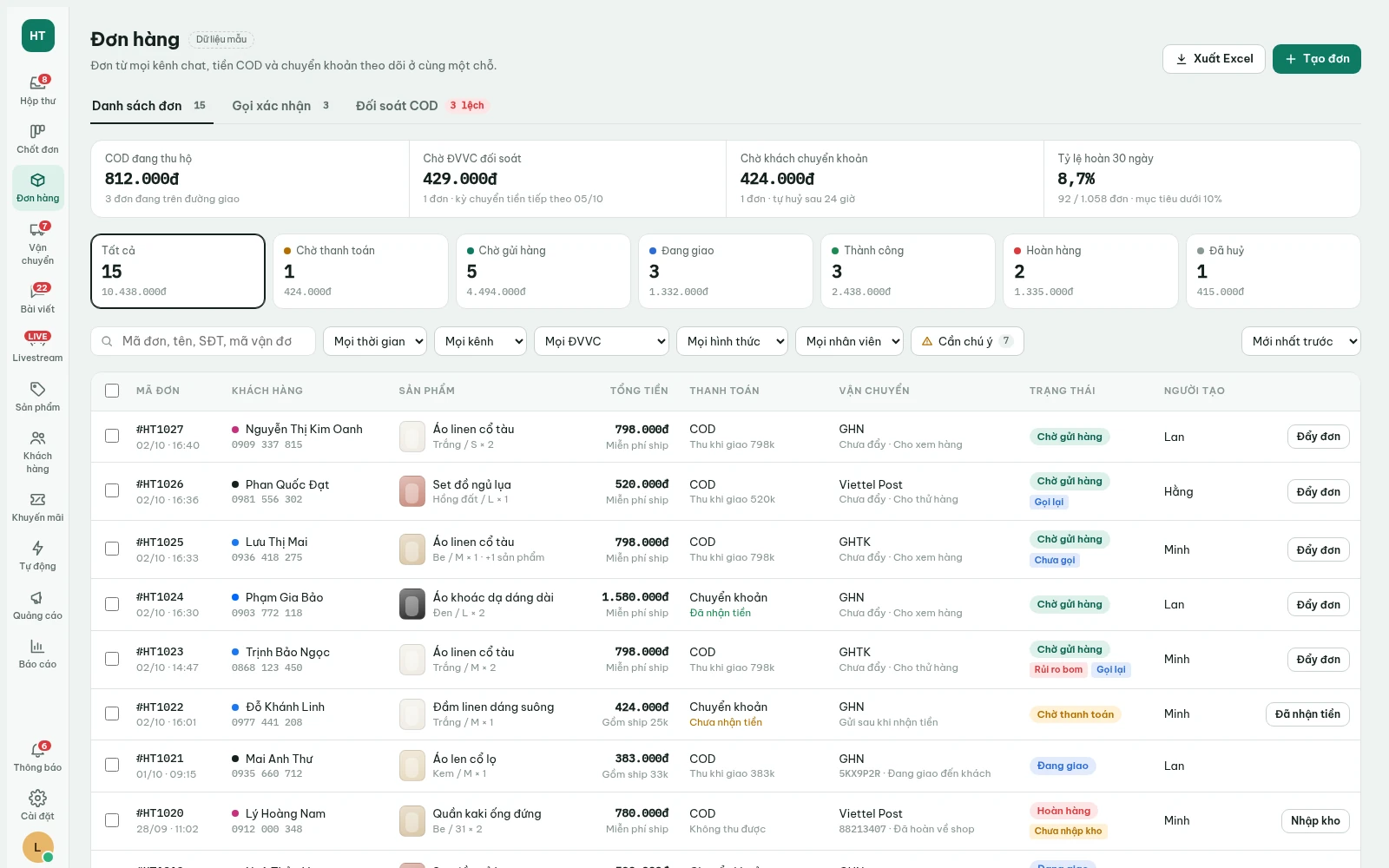
Orders & payments
Follow each order from creation to delivery, cancellation or return. Your team can see the next step and who handled it.
- Create orders from chat, comments, your storefront or by hand
- Stock reservations, discount approvals and bulk actions
- Picking slips, delivery slips and action history
- Payment by VietQR; payOS depending on your shop’s configuration
Customers & follow-up
One profile shows what a customer has bought, which channel they used and how best to look after them.
- Profiles combined across channels, addresses, tags and purchase history
- Customer groups, duplicate detection, merging and splitting profiles
- Phone numbers hidden according to staff permissions
- Marketing consent and personal data requests
Posts & comments
Manage posts and comments alongside customer advice. Link products to posts so staff know which item a customer is asking about.
- Draft and schedule posts for Facebook, Instagram and Threads (with the right permissions)
- AI helps draft posts from information your shop provides
- Link products to posts, or create products from existing posts
- Manage comments, keyword rules and replies within each platform’s limits
Automation
Use workflows for repeat tasks: payment reminders, post-purchase follow-up, or a welcome for first-time messages.
- Ready-made workflow templates; AI helps draft new ones
- Conditions, waiting steps, messages and staff notifications
- Birthdays, lapsed customers and back-in-stock messages
- Test runs, results, and stopping automatically when the customer replies
AI customer advice
AI answers customers in website chat using information your shop supplies, and hands over to staff when needed.
- Knowledge from your products and shop policies
- Hand a conversation over to a staff member
- OpenAI or Gemini, depending on configuration
- Usage limits per shop, with the option of your own AI key
Your own storefront
A storefront with your shop’s name, sharing products and orders with your everyday selling.
- Themes, homepage, menus, banners and collections
- Product pages, cart, and COD or QR checkout
- Buyer accounts, address books and order lookup
- Blog, reviews, SEO and chat connected to the inbox
Promotions & loyalty
Give customers a reason to come back, with clear conditions and costs for each programme.
- Discount codes, automatic promotions and order conditions
- Earn and redeem points, with membership tiers
- Wholesale prices by quantity
- Programme activity and points history
Affiliate sales
Manage referrers, tracking links and commissions right inside your sales system.
- Affiliate sign-up, approval and management
- Referral links and order attribution rules
- Commissions, balances and payout requests
- Record the payments the shop owner has made
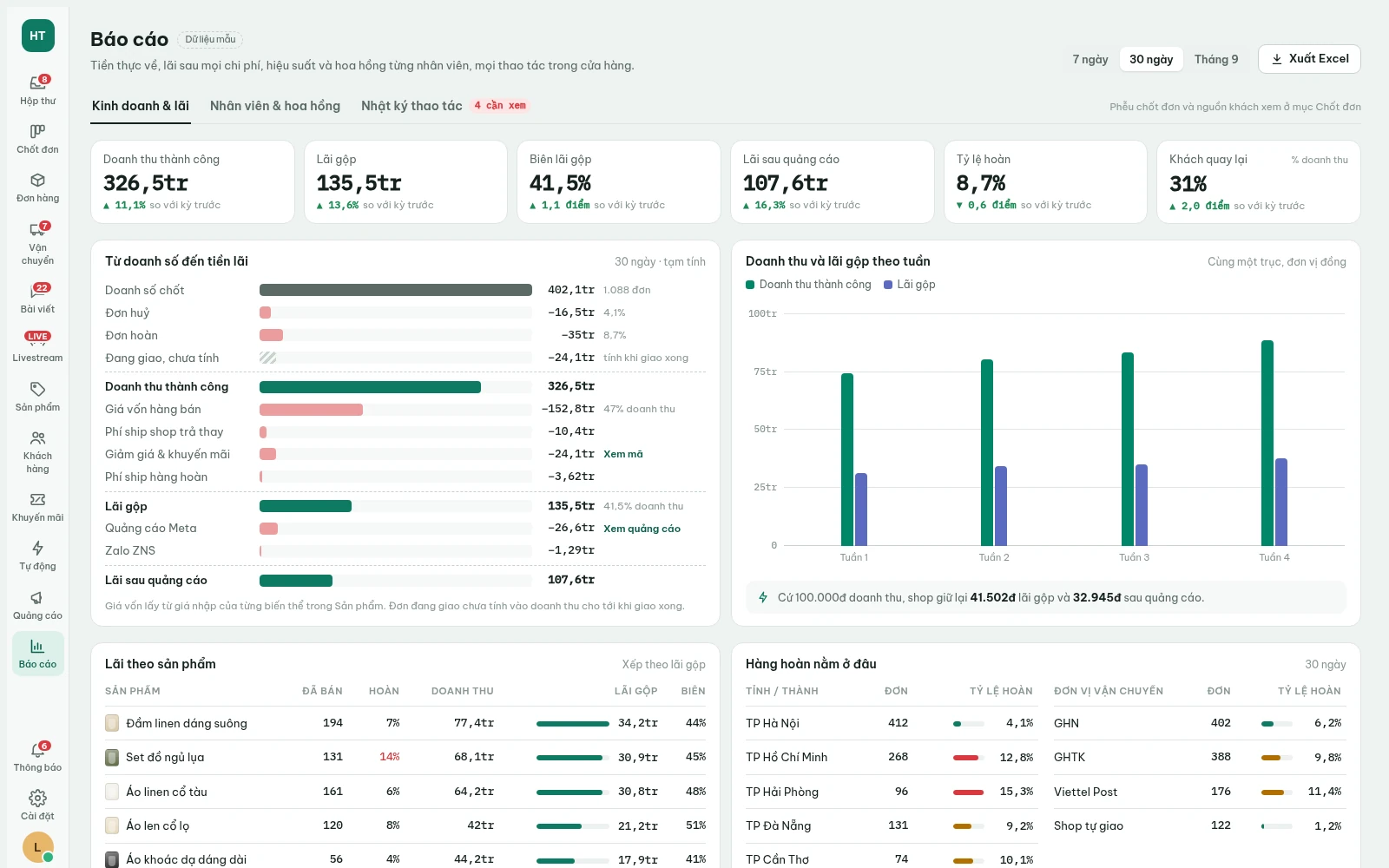
Business reports
Look back at sales and stock data: what sells well and what needs attention.
- Revenue, cost of goods and gross profit by period
- Best sellers, slow movers and stock value
- Stock movements, incoming goods and supplier balances
- How the whole team is doing at closing orders
Team collaboration
Keep work conversations next to the orders, customers and products they are about.
- Rooms, direct messages, file attachments and mentions
- Tasks linked to a specific order or customer
- Internal feed, groups, polls and events
- Roles, access permissions and action logs
Imports & notifications
Small tools that help a shop get started quickly and keep things moving.
- Excel/CSV import, validation and export for supported data
- Notification bell, choose which alerts you get, quiet hours
- Push notifications on each device (depending on deployment configuration)
- Manage several shops, each with its own separate data
Less busywork.
More time for customers.
Tell Lazy how you sell today. We’ll work out together where LazyShop can help.