
Your own storefront
Show products, take orders and chat with buyers on your shop’s own website.
View featuresLazyShop brings messages, orders, products, stock and customers together. Your whole team can advise, close orders and keep track of work on one screen.
Each channel has its own connection requirements. View details
Customers don’t have to repeat themselves. Staff don’t have to hunt for information in several places.
Messages and comments from the channels your shop uses arrive in one inbox.
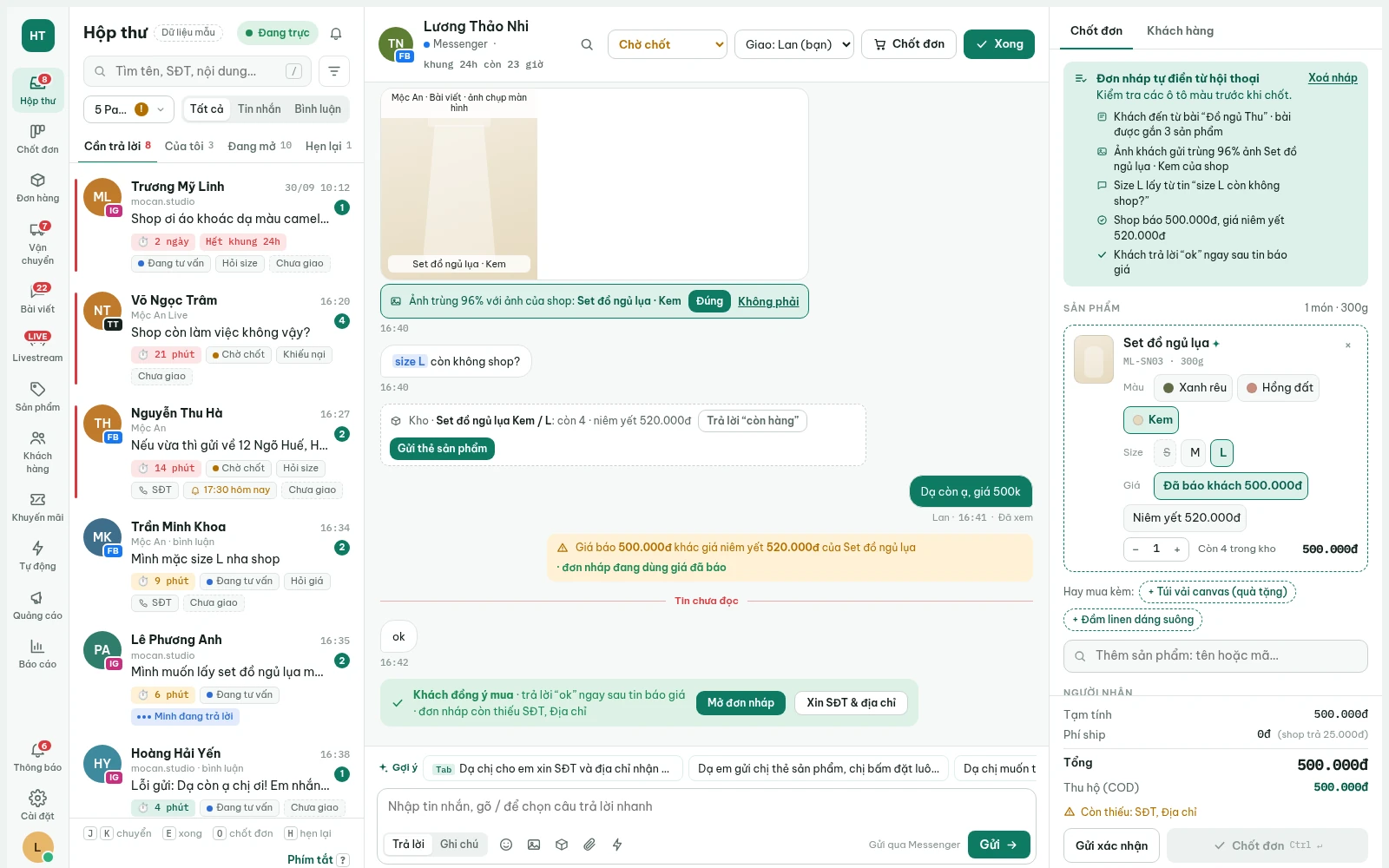
See products and customer details, then create an order right in the chat.
Your team sees orders, stock and who is responsible for each task.
Review purchase history, follow up with regulars and track your results.
See messages, products and customer profiles on one screen. Your team has what it needs to advise, hand over work and carry on the conversation.
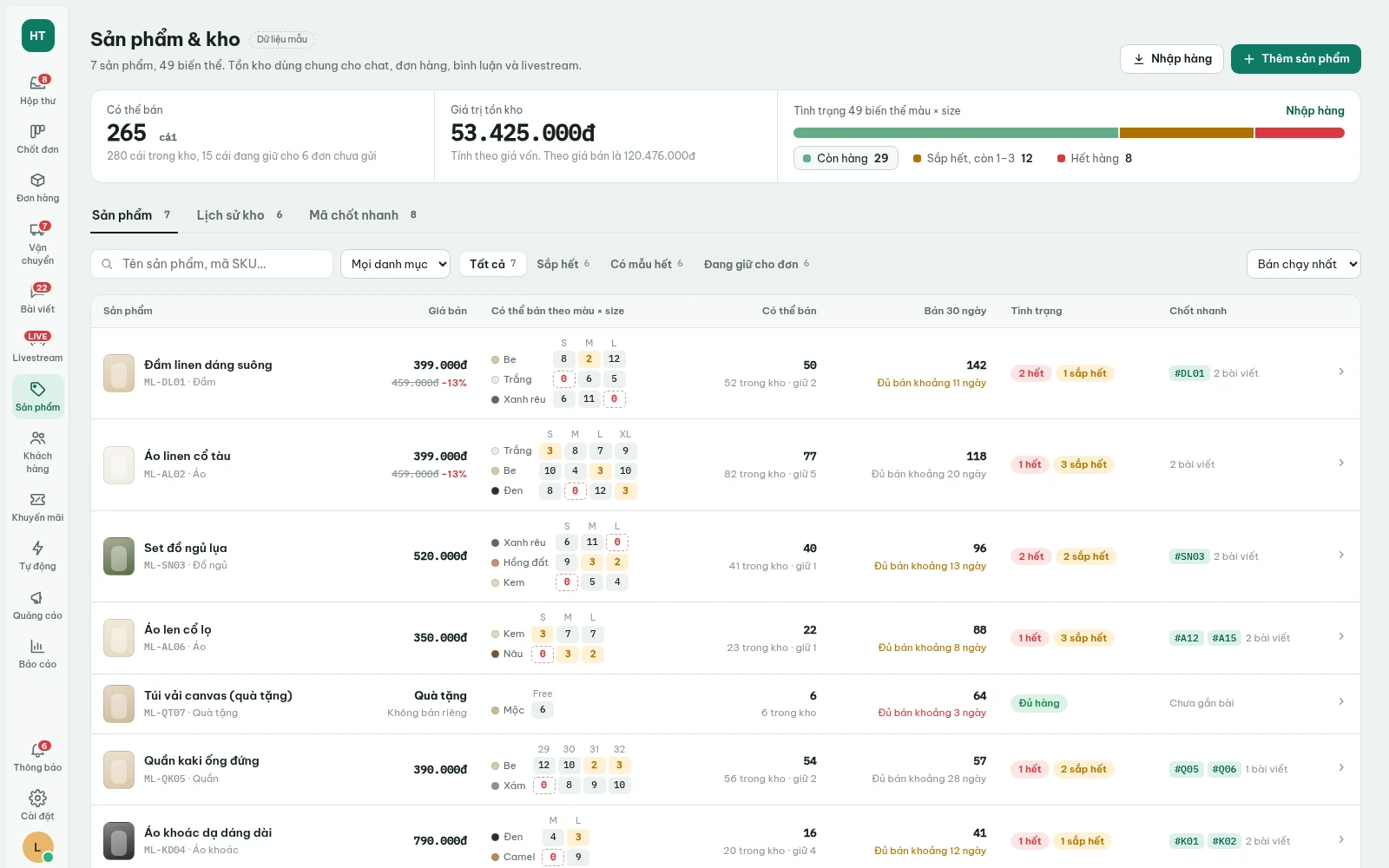
Stock and orders work together: you can see what is reserved for orders, what is still available and what is on its way. Every change is recorded.
Use workflows to remind customers about payment, follow up after a purchase and notify staff. AI can help draft messages or a workflow; you review it before turning it on.
See automationAn example workflow. You decide when it starts and when it stops.
From your own storefront to affiliates, everything shares your shop’s data.
Show products, take orders and chat with buyers on your shop’s own website.
View featuresProfiles combined from several channels, purchase history and customer groups for better follow-up.
View featuresDiscount codes, loyalty points and membership tiers.
View featuresReferral links, order attribution, commissions and payout requests.
View featuresRevenue, gross profit, best sellers and stock levels.
View featuresInternal chat, tasks, permissions and notifications.
View featuresA few things to know about LazyShop before you get in touch.
Ask LazyLazyShop is for shops selling across several channels in Vietnam that want customer conversations, orders, stock and staff in one place. Get in touch about which parts fit the way your shop works.
Not yet in every case. Each platform has its own requirements and permissions, and some connections are still being tested or awaiting approval. Our connected channels page describes each one so you can check before you plan.
Yes. LazyShop includes Excel/CSV import for products and customers, with column mapping and data checks. Check your file format before importing.
No. AI advice currently applies only to chat on the shop’s own website, according to the shop’s settings. AI drafting for posts and workflows is a separate feature. Review the content and the knowledge you give the AI before turning it on.
Call 0971 316 386 or email [email protected] to talk about your shop’s needs. Lazy will help you choose where to start.
Tell Lazy how you sell today. We’ll work out together where LazyShop can help.